Skip to content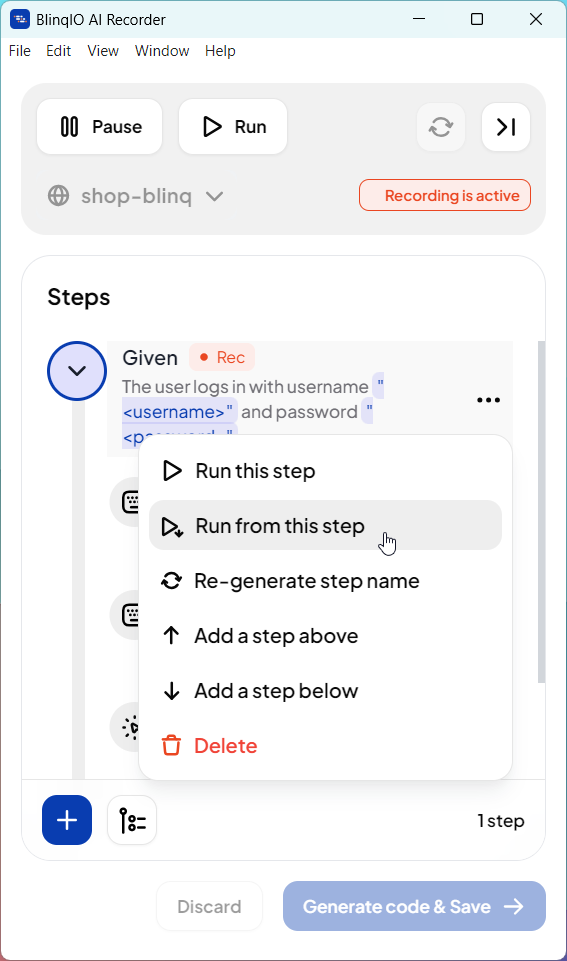

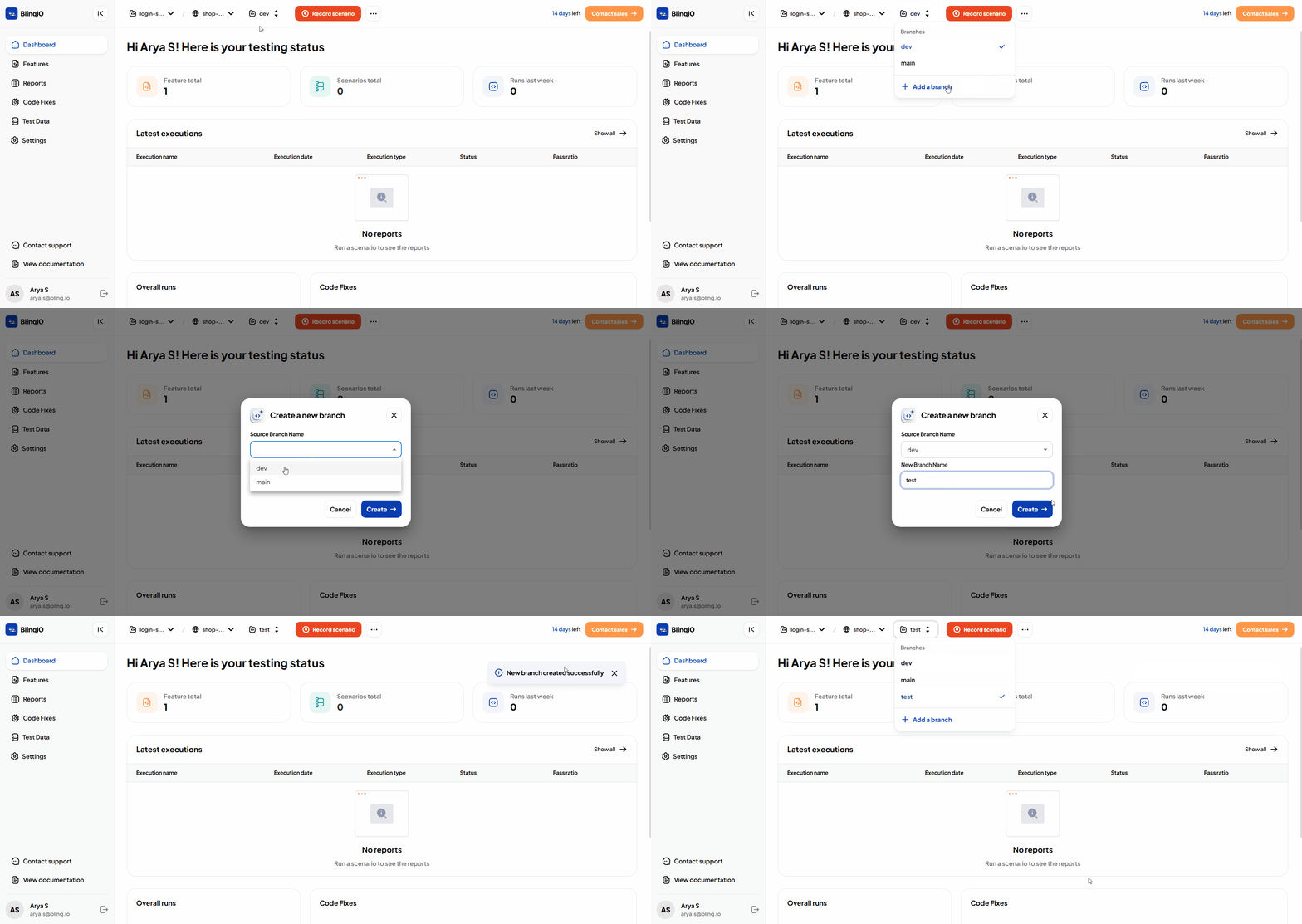
Support for Git Branches in Projects
You can now select or create a Git branch when working on a Git-integrated project. This allows each user to work independently of the main branch and manage pull requests separately. The last selected branch is remembered for convenience.
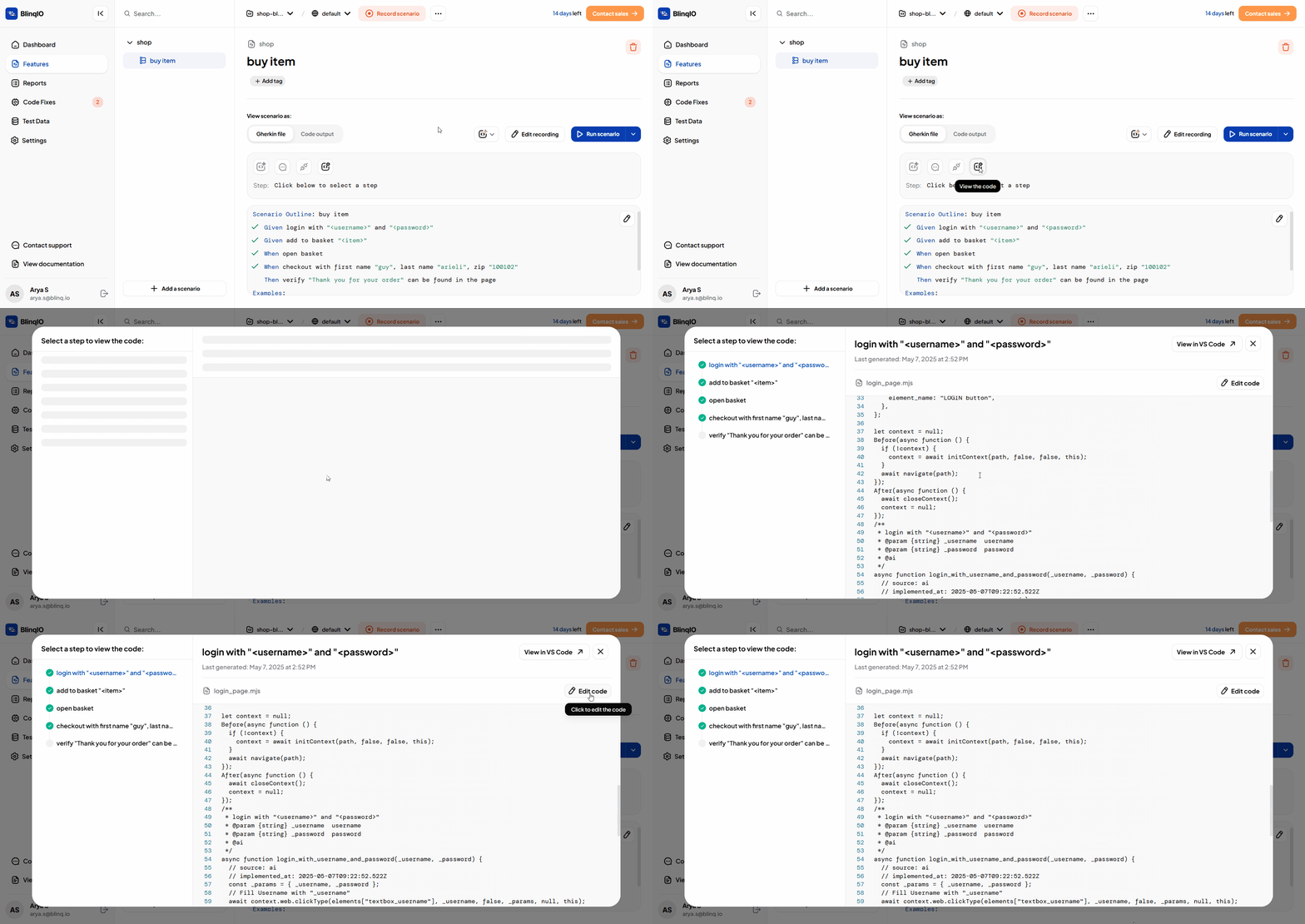
View Step Code in the Features Page
The Features page now lets you view and edit the full .mjs file for any step. Simply select a step and click View the code to open the code editor.
Support for File Upload Inputs in AI Recorder
The AI Recorder now supports automating file uploads, such as PDFs and images. This enables testing common form submission flows, like uploading documents or profile pictures.
NOTE
Documentation coming soon
Validate Downloaded Files in AI Recorder
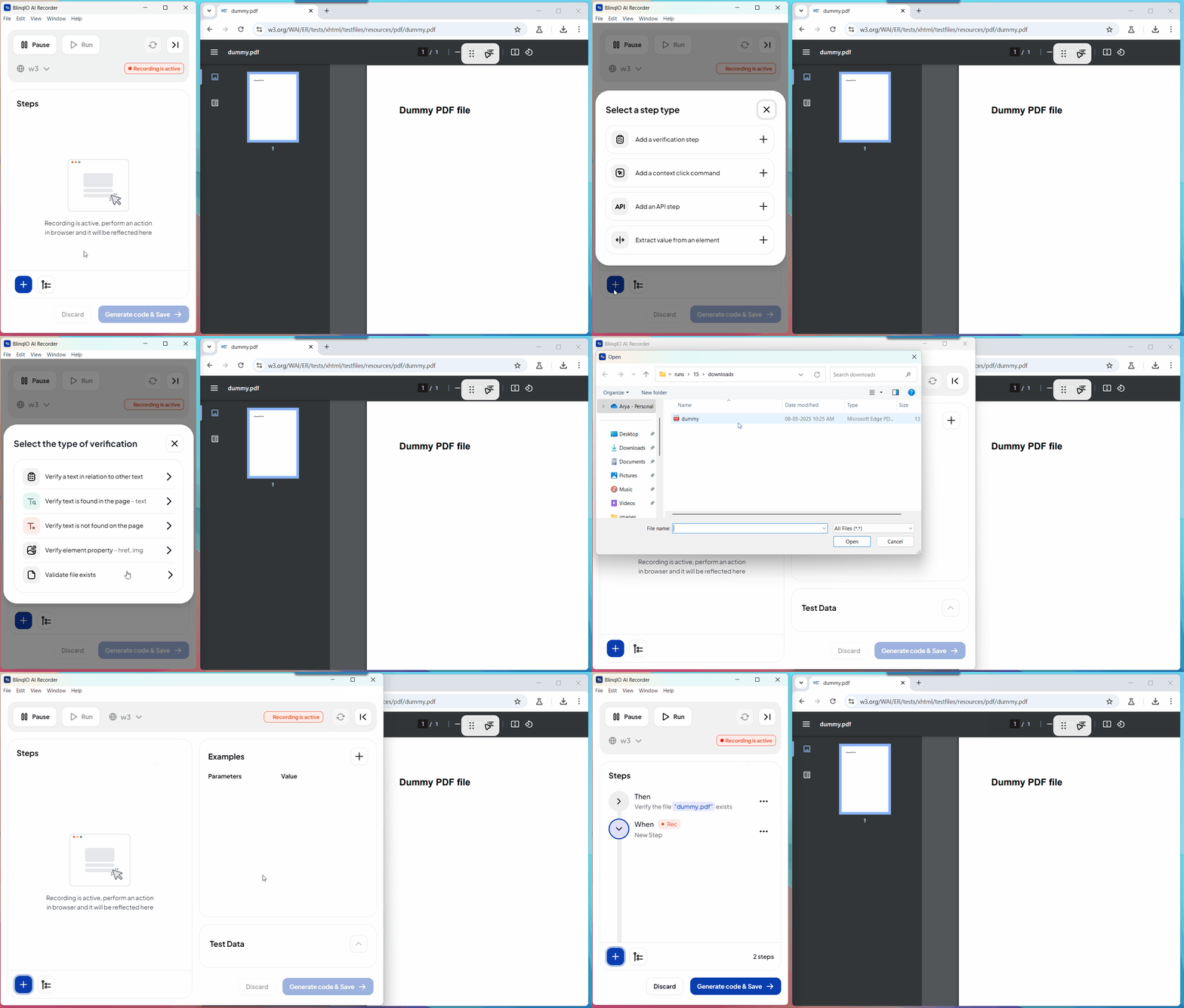
The AI Recorder now supports asserting the presence of downloaded files during a run or recording. You can add a step to check if a file with a specific name exists in the downloads folder.
Auto-Retry with Alternate Locators in Run Scenario
When a step fails due to a locator issue during Run Scenario, the Recorder now automatically tries alternate locator strategies. This saves time by reducing the need for manual debugging and repeated re-runs.
Run from Any Step in Run Scenario
You can now run a scenario from any specific step to the end in Run Scenario mode. This makes it easier to test and debug specific parts of longer scenarios without starting over.
Transform Extracted Values in Recorder
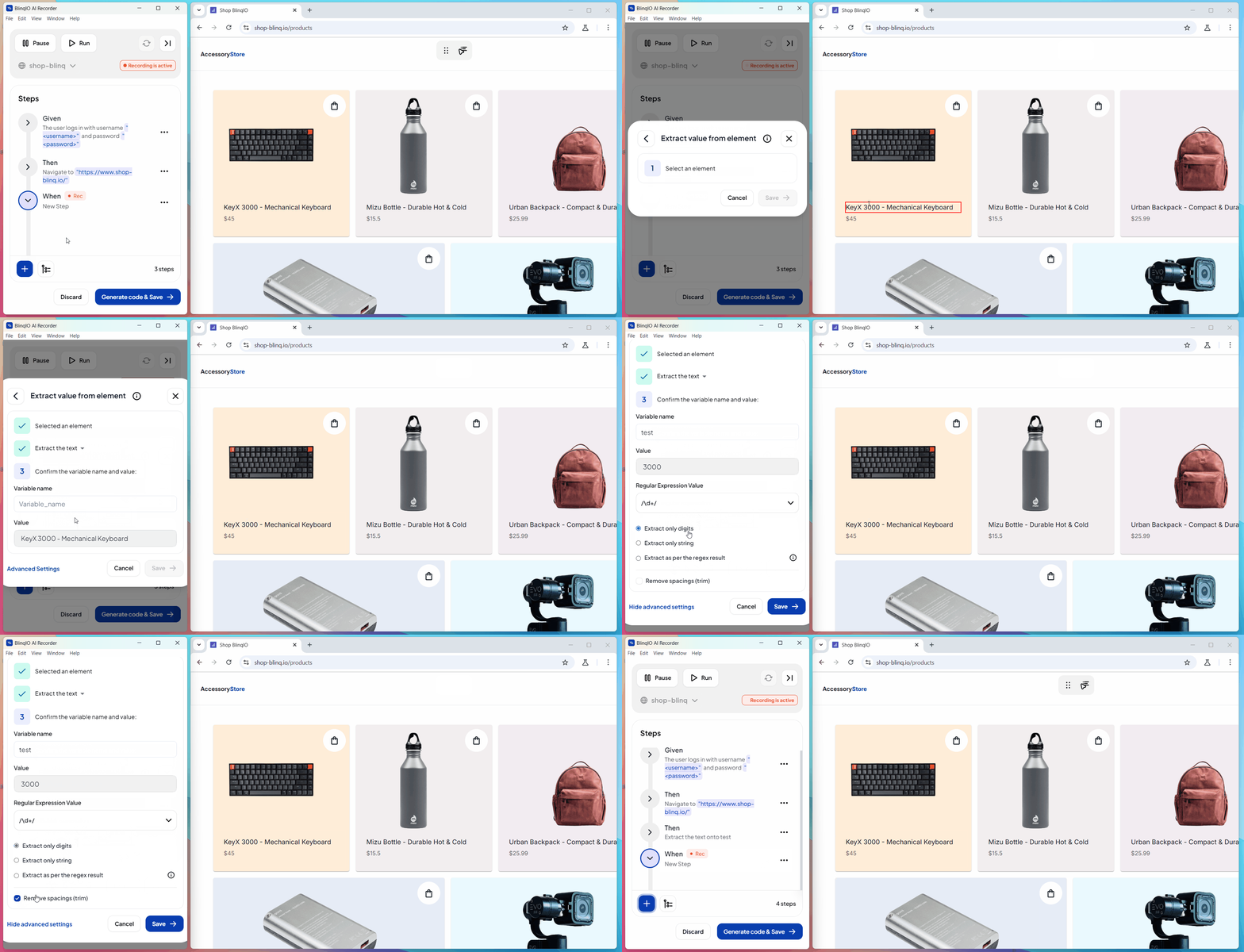
The Extract Value action in the Recorder now supports text transformations. You can extract just numbers, just text, or use a regular expression to pull exactly what you need from an element, making dynamic value capture much easier.
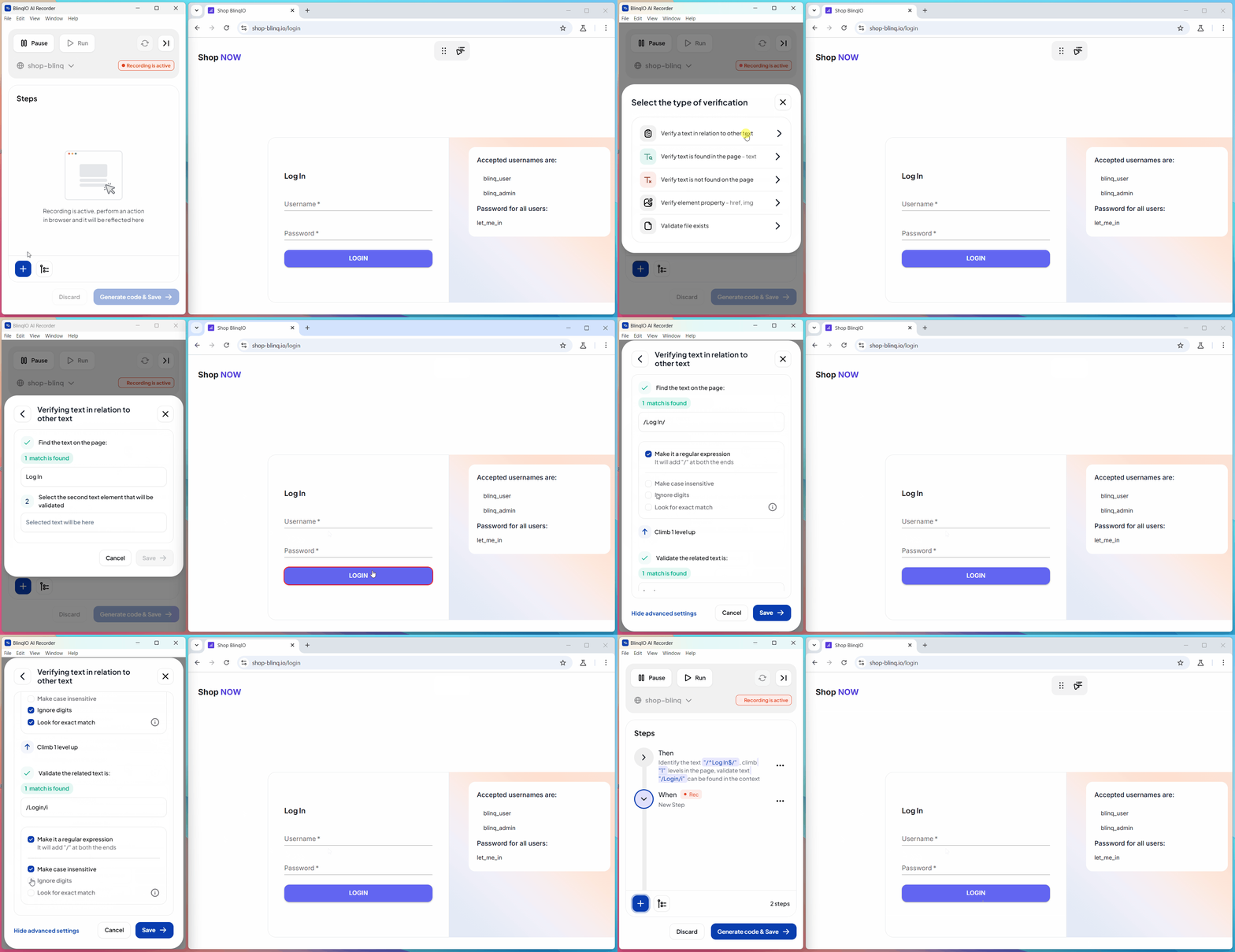
Improved "Verify Text with Other Text" Feature
The Verify Text with Other Text step now includes advanced context settings, a scrollable modal, and a cleaner layout—making it easier to review and adjust your checks.