
AI Maintenance
Tests break. Applications change, locators shift, and data evolves. Without automated recovery, every broken test becomes a manual triage task that slows down your team and erodes confidence in your test suite.
AI Maintenance solves this: the AI Test Engineer automatically detects why tests fail, categorizes the failure, and recovers broken tests without manual intervention.
How It Works
When a test fails, the AI Test Engineer performs Root Cause Analysis to answer three questions:
- Why did the test fail?
- Where did it fail?
- Can it be recovered automatically?
Based on the answers, the AI Test Engineer categorizes the failure and, when possible, regenerates the broken step to get your tests passing again.
Failure Categories
Every failure is classified into one of four categories:
| Category | Description |
|---|---|
| App Locator Issue | The failure was caused by changes to element locators in the application. |
| App Data Issue | The application's state or test data caused the step to fail: missing data, unexpected values, or changed content. |
| Server Issue | A backend error occurred: failed API responses, timeouts, or server downtime. |
| Unknown | The AI Test Engineer could not confidently identify the root cause. |
INFO
Only App Locator failures are automatically recovered. Other failure types require manual investigation.
Starting AI Recovery
AI Recovery activates in two ways:
- CI/CD failures: recovery starts automatically when a test fails during a CI/CD pipeline run.
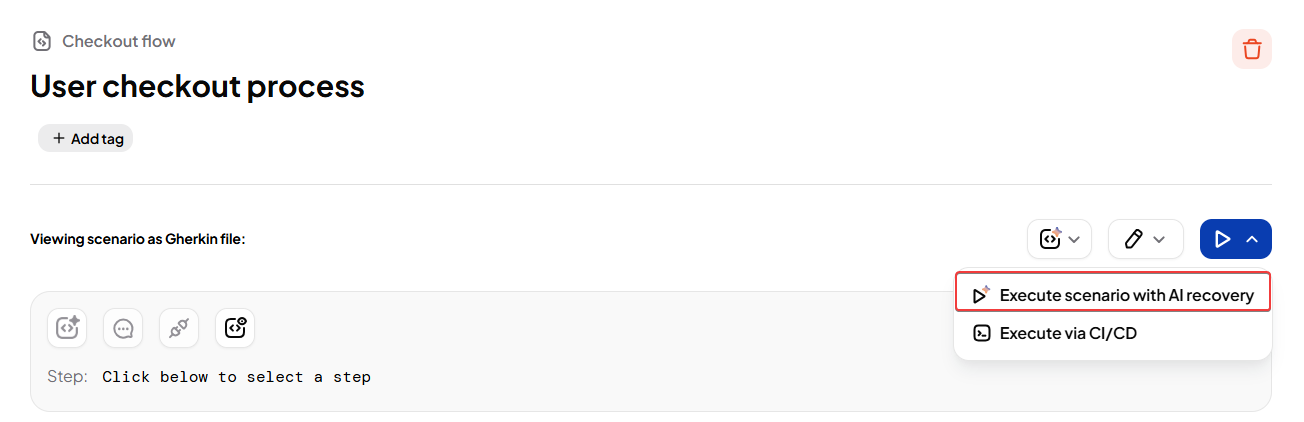
- Manual runs with AI Recovery enabled: click the AI Recovery toggle before running a scenario to enable recovery for that execution.
Viewing Results
AI Recovery results are available on the Reports page for all failed test runs.
Open the Reports page.
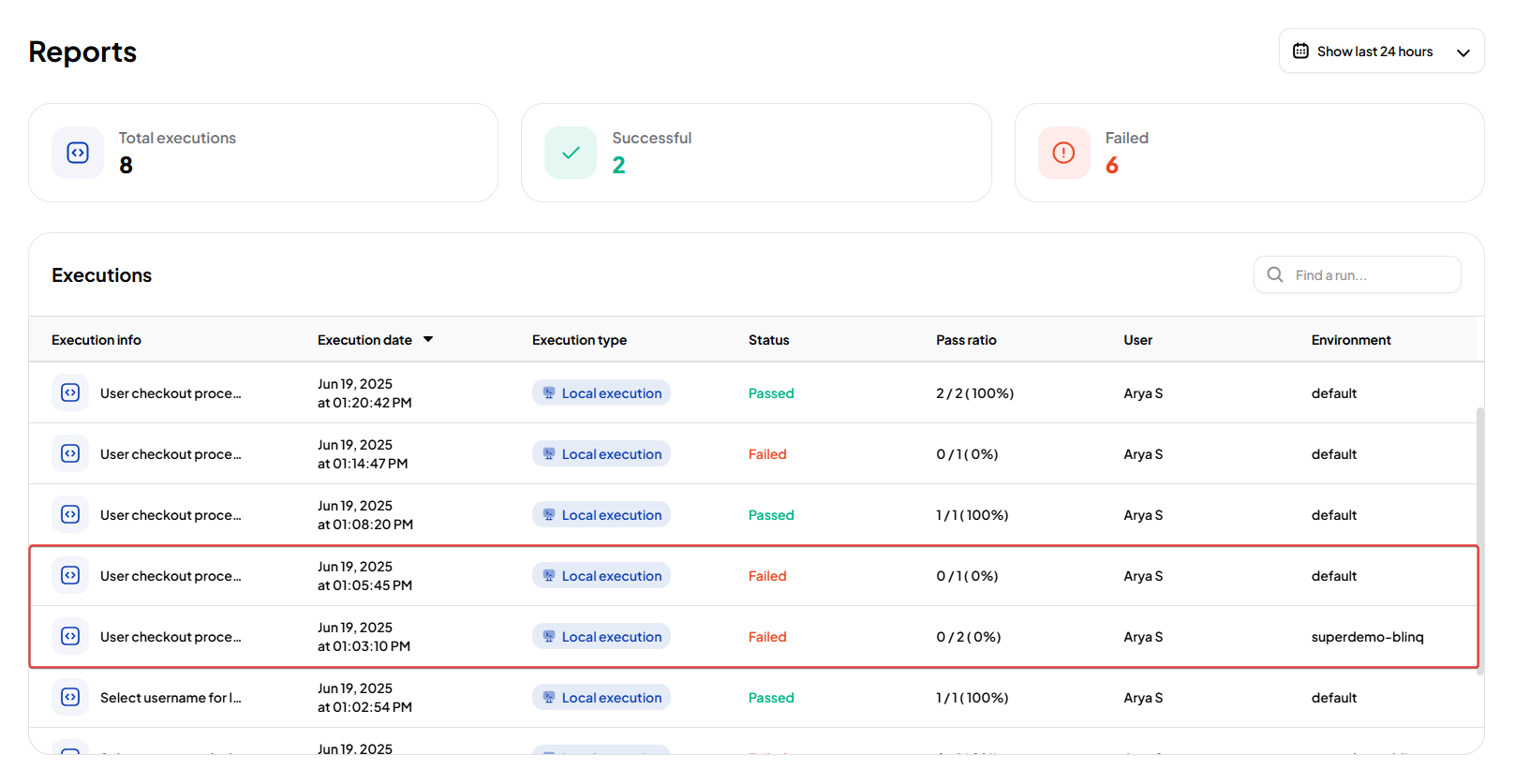
Select a failed test run. You will see:
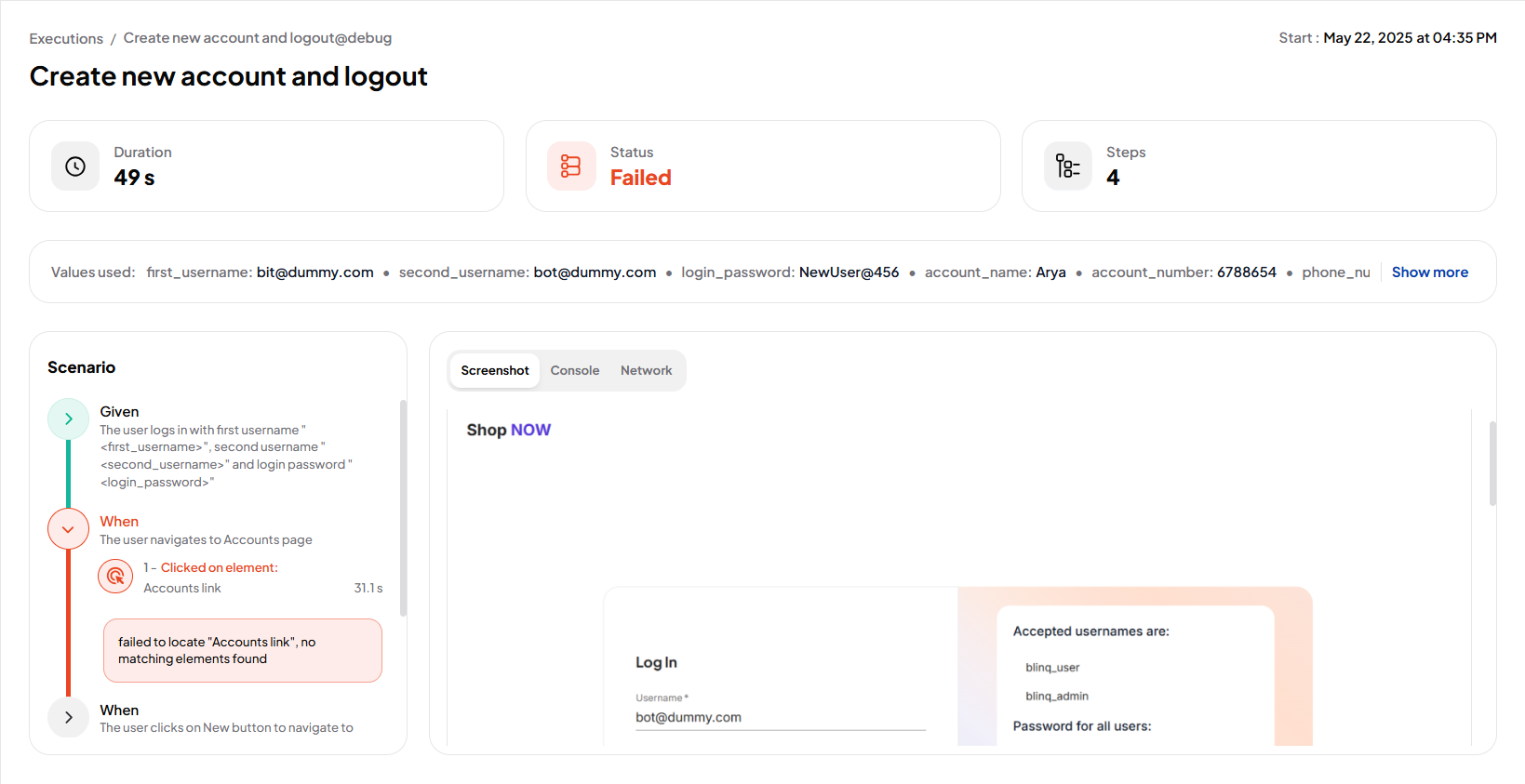
- Root Cause: a clear explanation of why the failure occurred, based on the AI's classification.
- Retraining Reason: describes what triggered recovery: a locator mismatch, timeout, or other issue.
TIP
Hover over a retraining reason to view the full details.
Open the scenario details to inspect the specific step where the failure happened, along with relevant context.
Code Review
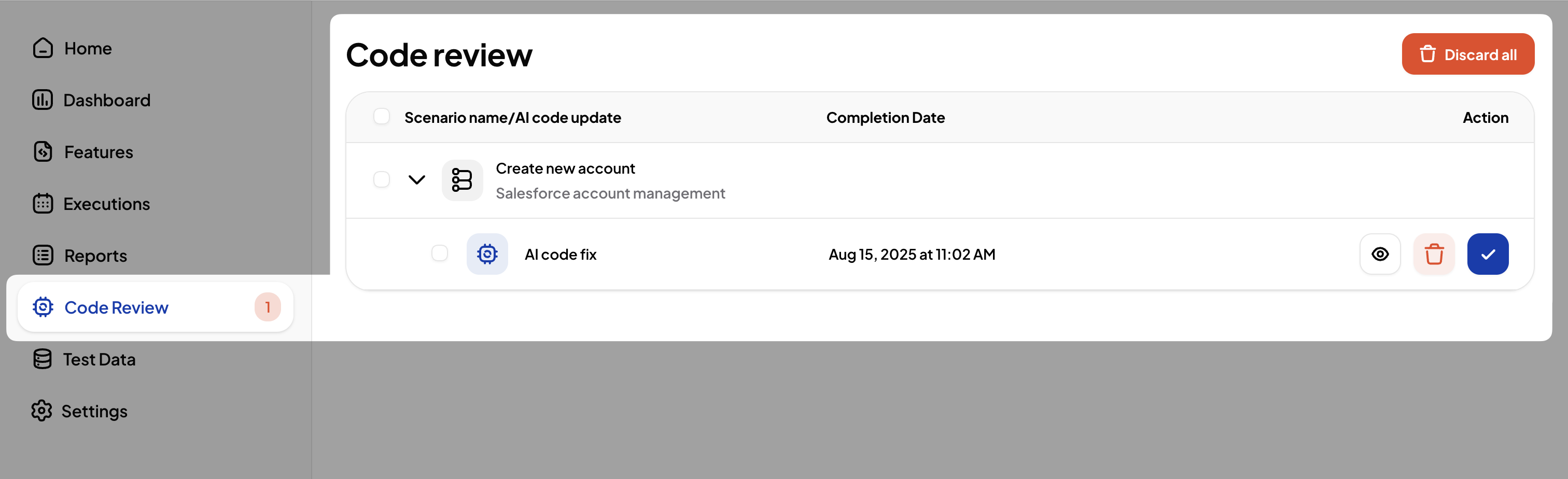
When the AI Test Engineer successfully recovers a failing test, it creates a Code Review. The recovered code is not merged automatically: you must review and accept the changes first.
To accept a Code Review:
- Go to the Code Review page.
- Find the pending Code Review for your scenario.
- Click Accept Changes to confirm.
Next Steps
For a deeper look at how the AI Test Engineer diagnoses failures, see Root Cause Analysis.