
What is BlinqIO AI Test Engineer?
BlinqIO AI Test Engineer is a browser-based test authoring platform that lets you build end-to-end web automation tests without writing code. Describe what you want to test in plain English, and AI generates production-ready Playwright test code for you.
Why BlinqIO?
Traditional test automation requires deep programming knowledge, is slow to set up, and expensive to maintain. Manual testing doesn't scale. BlinqIO bridges this gap by combining AI-powered test generation with a visual test authoring experience.
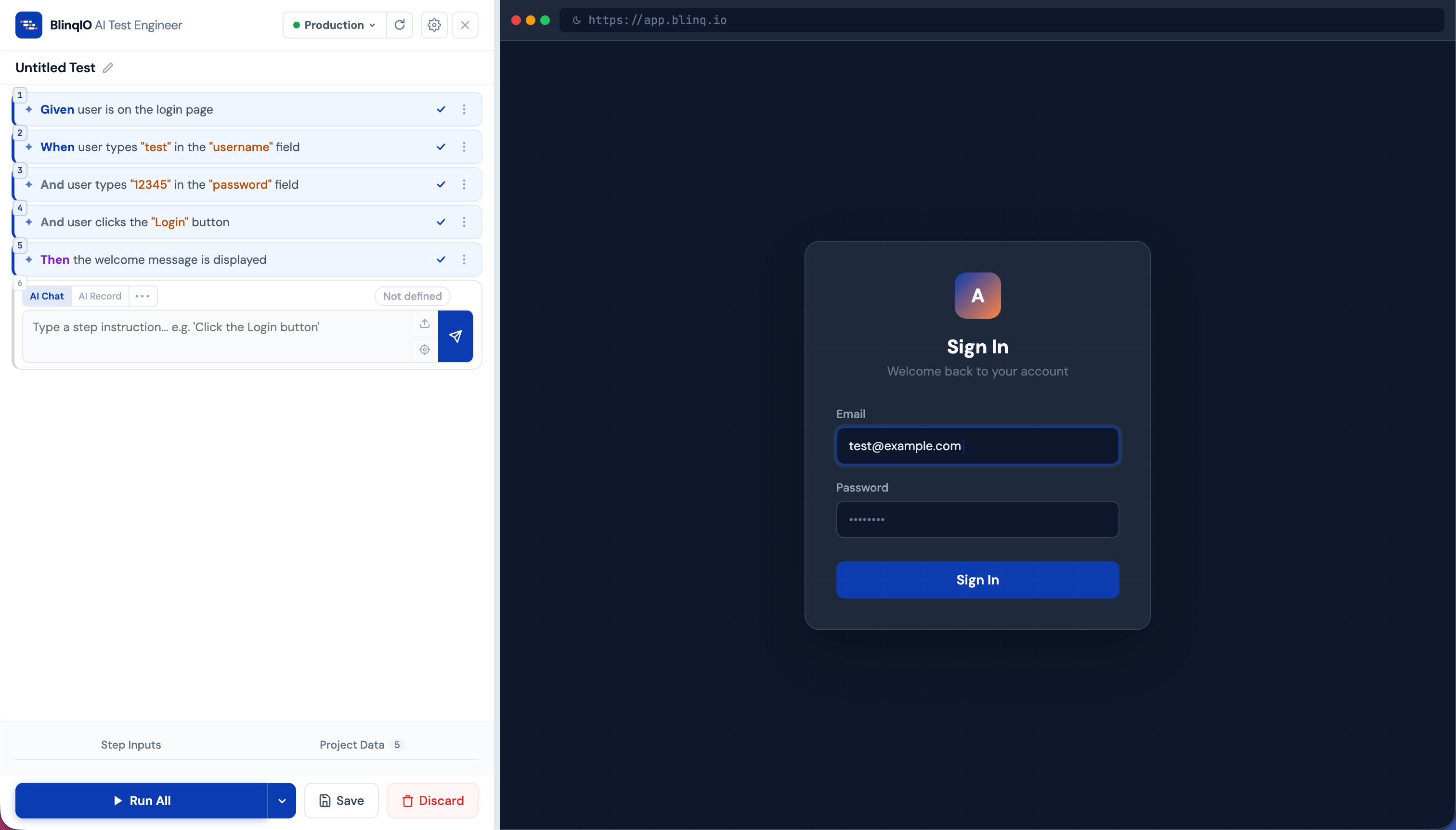
- No coding required: Describe test steps in natural language, or record them by interacting with your application
- Production-grade output: Every step generates real Playwright TypeScript code that you own and can customize
- Gherkin format: Tests follow the industry-standard Given/When/Then structure, making them readable by everyone on the team
- Instant validation: Run your tests directly in the browser to verify they work before saving
Who is it for?
| Role | How BlinqIO helps |
|---|---|
| QA Engineers | Use AI Chat or Record to automate scenarios and build comprehensive test suites in minutes instead of days |
| Manual Testers | Transition to automation without learning to code — describe what you want to test in plain English or record interactions directly |
| Dev Teams | Use AI Chat and Record for rapid test creation, plus direct code access to customize generated Playwright code when needed |
| Product Managers | Read and understand tests in plain English (Gherkin) and stay aligned with what's being tested |
How it works
BlinqIO provides a complete test automation platform: AI Tests for organizing your suite, the AI Test Engineer for authoring tests, AI Maintenance for automatic failure recovery, AI Analytics & Reports for execution insights, an Execution Planner for scheduling runs, and full Code access with Git integration.
The core authoring experience is a split-screen editor with your test steps on the left and a live browser preview on the right:
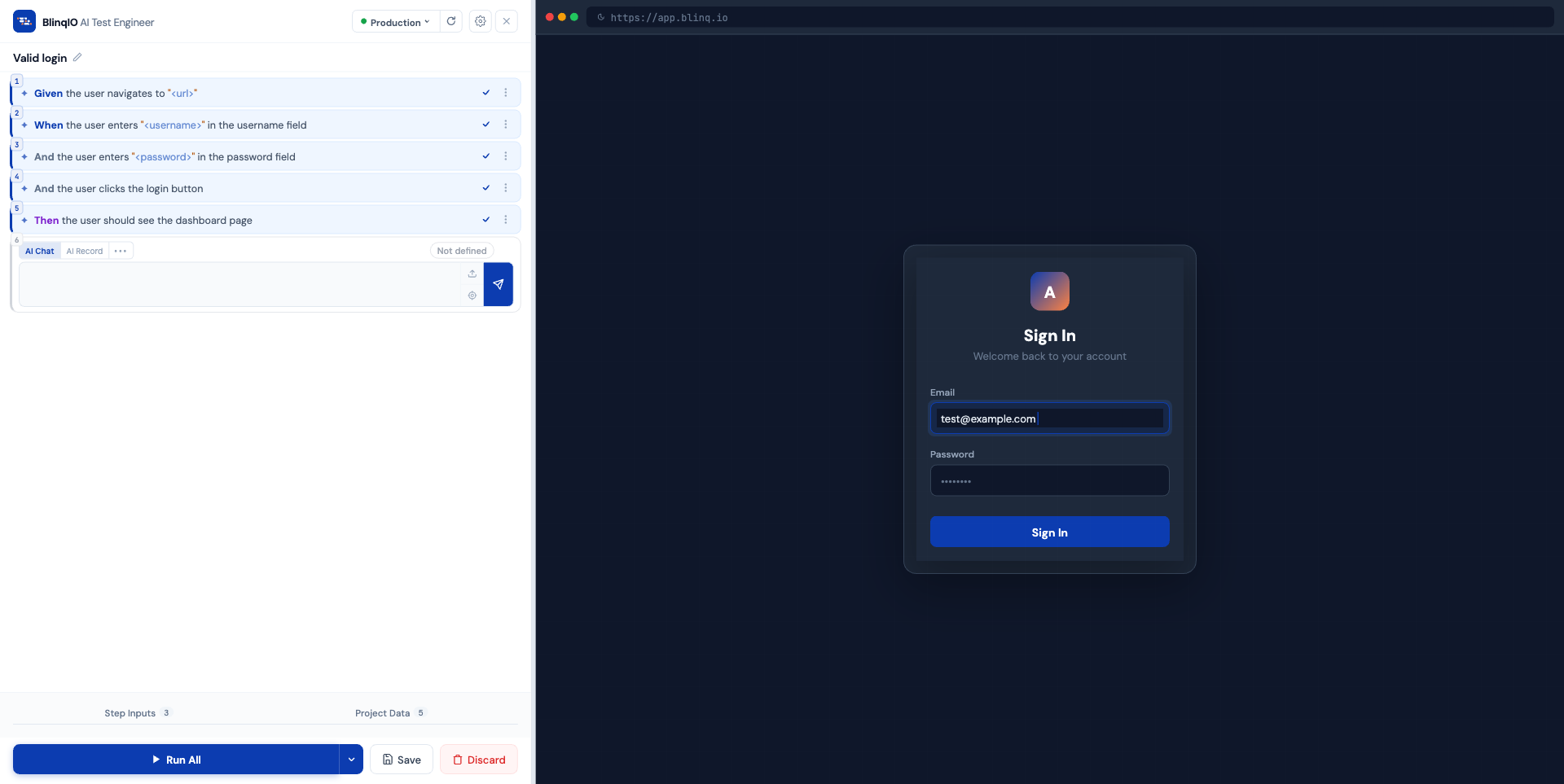
Your instruction: "Login with username 'admin' and password 'secret123'"
    |
    v
AI generates:
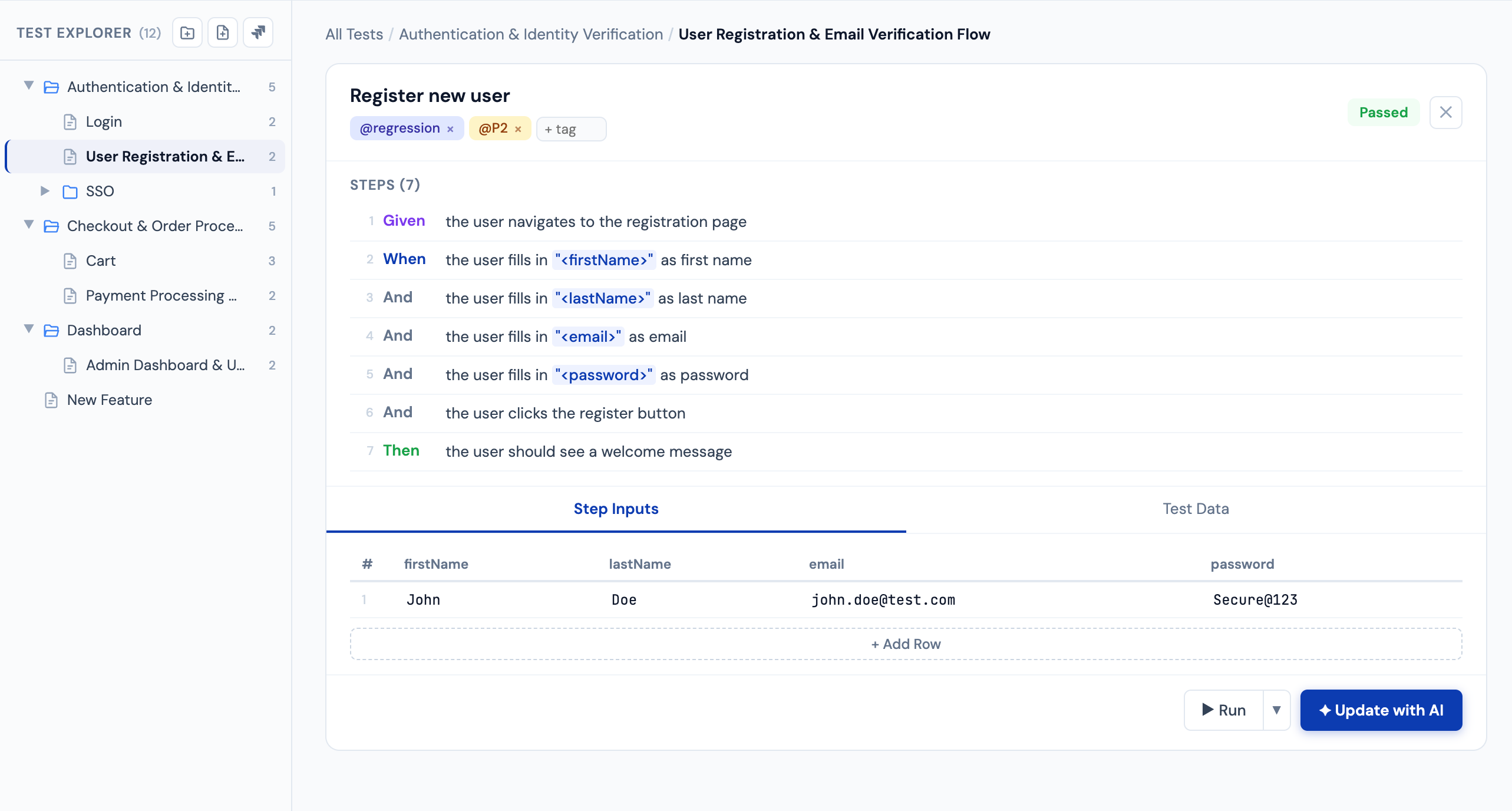
  Step: Given user logs in with "<username>" and "<password>"
  Code: await page.getByLabel('Username').fill(username);
        await page.getByLabel('Password').fill(password);
        await page.getByRole('button', { name: 'Sign In' }).click();
Five ways to create test steps
Each step in your test can be created using one of five modes:
| Mode | Best for |
|---|---|
| AI Chat | Describing what you want in plain English |
| AI Record | Performing actions in the browser and letting AI capture them |
| Assert | Adding verification checks (text exists, element properties, page snapshots). You can also describe assertions in AI Chat — just say what you want to verify. |
| Reuse | Referencing steps you've already built in other tests |
| Custom | Specialized actions like context clicks, waits, or value extraction |
Core concepts
Before diving in, here are the key concepts you'll encounter:
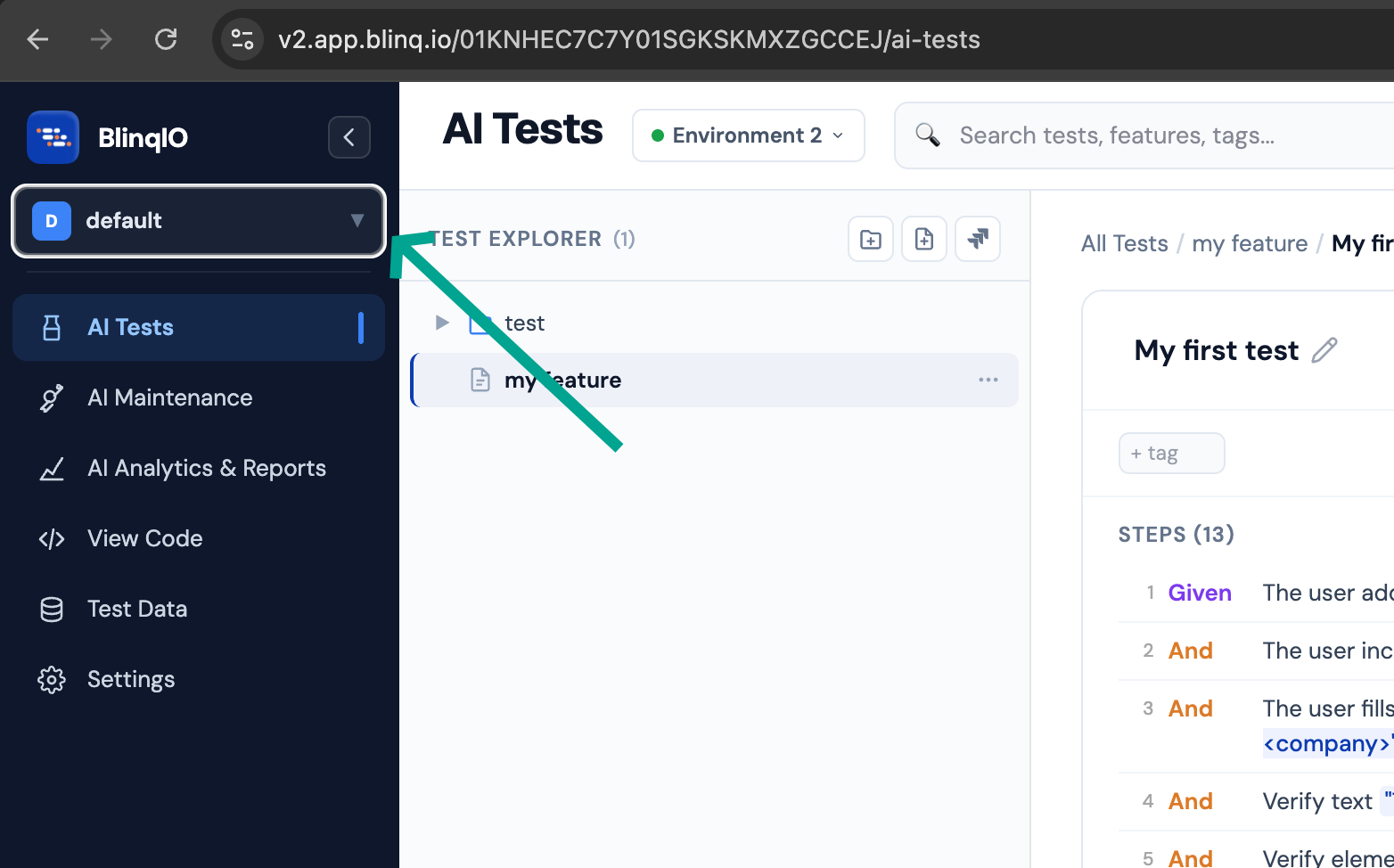
- Project: A workspace that groups related tests, environments, and settings (e.g., "E-Commerce Platform")
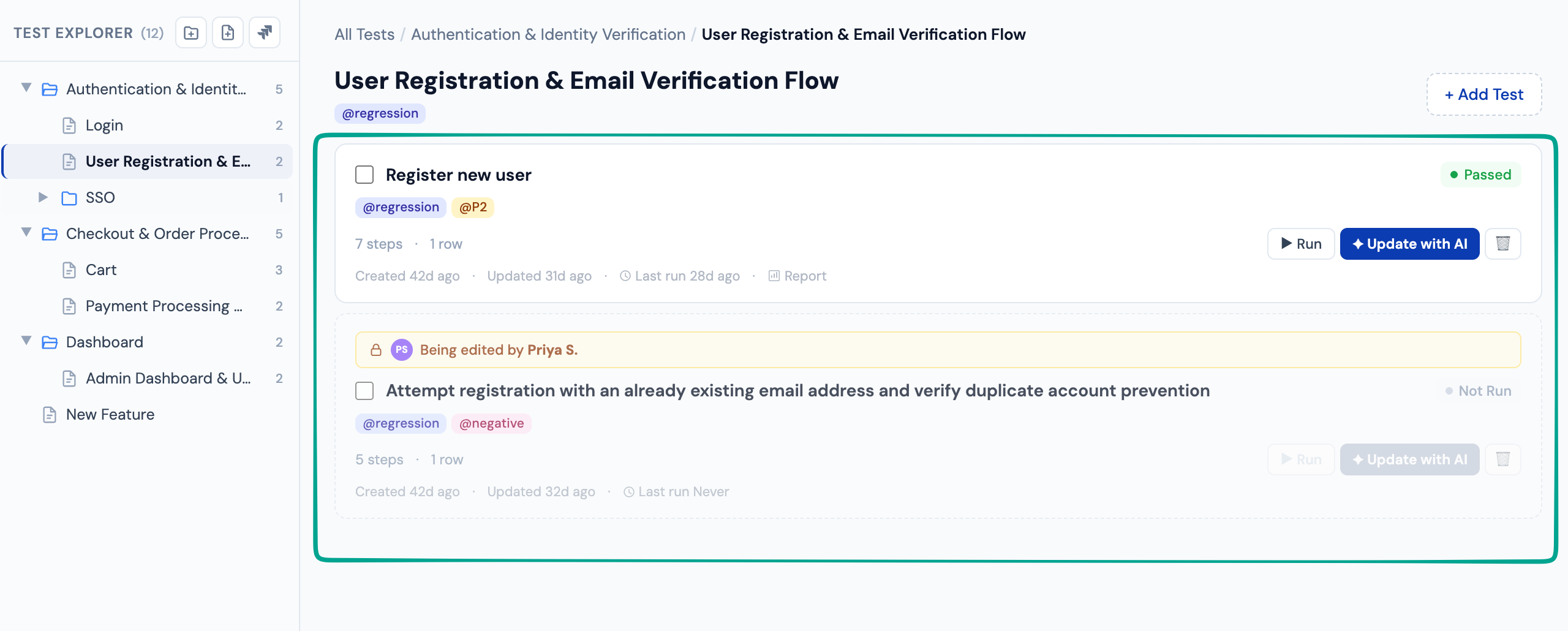
- Feature: A collection of related tests organized under a common theme (e.g., "Authentication")
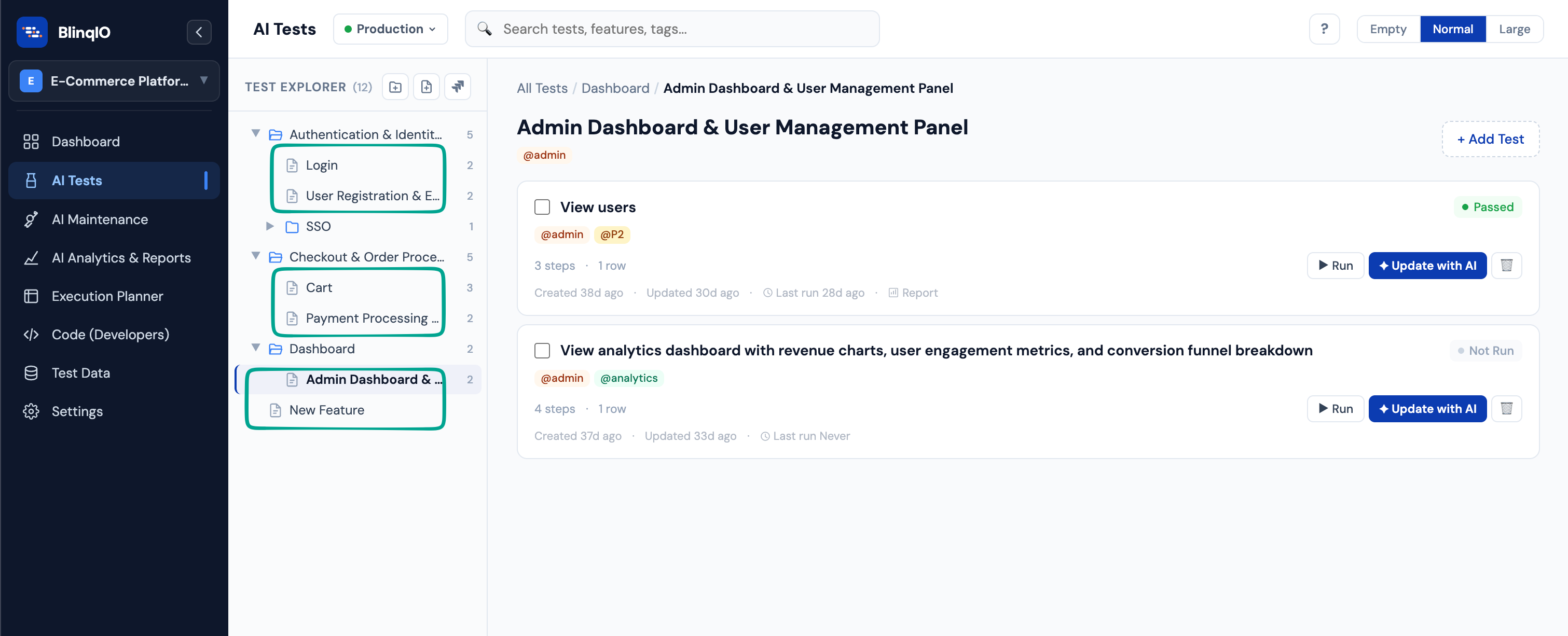
- Test (Scenario): A single end-to-end flow made up of sequential steps, written as a Gherkin Scenario Outline
- Step: One action or verification within a test, in Given/When/Then format, backed by Playwright code
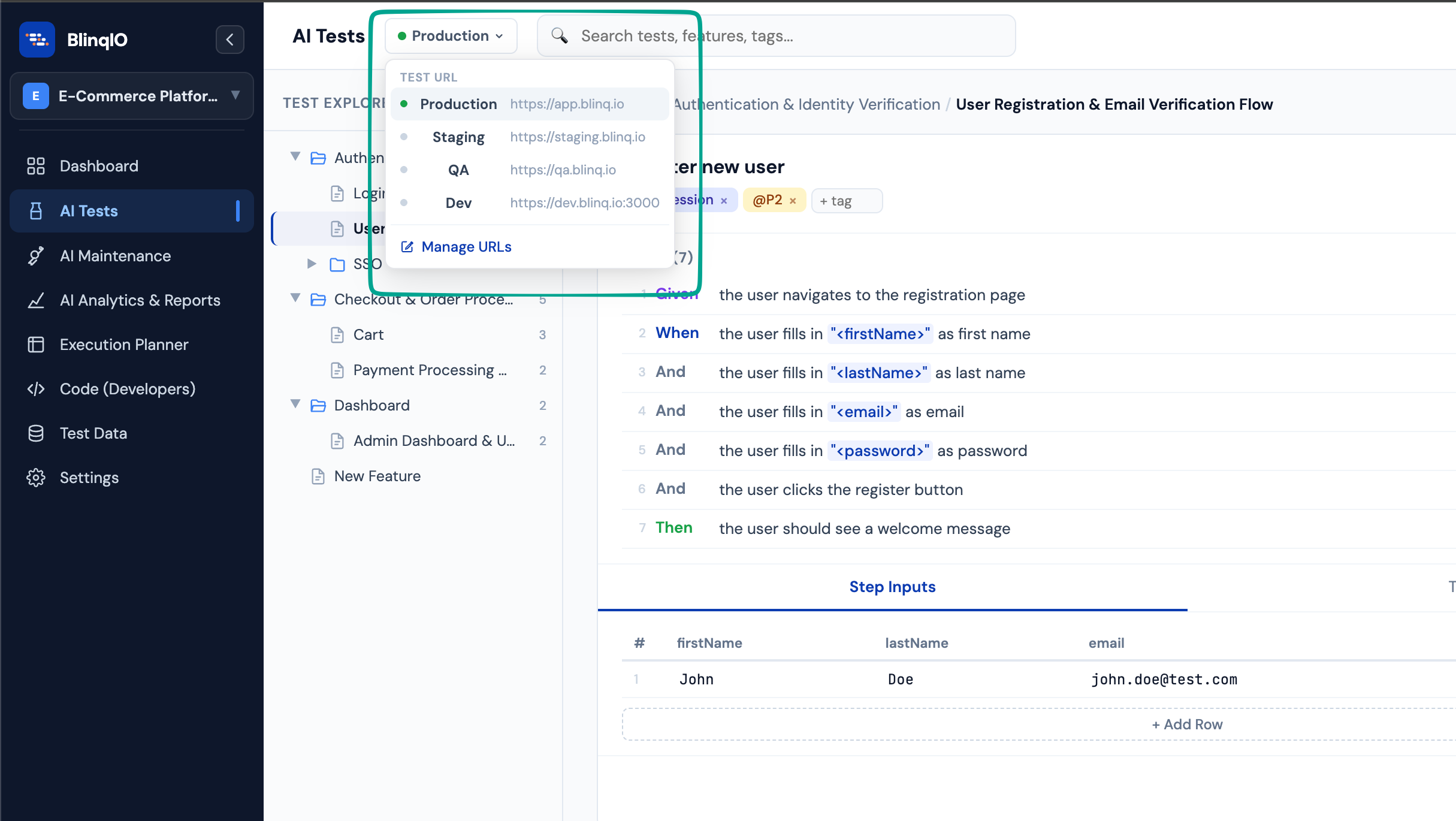
- Environment (Test URL): The target application URL for your tests (e.g., Production, Staging, QA)
- Parameter: A dynamic value in a step, written as
<param>, that can vary across test data rows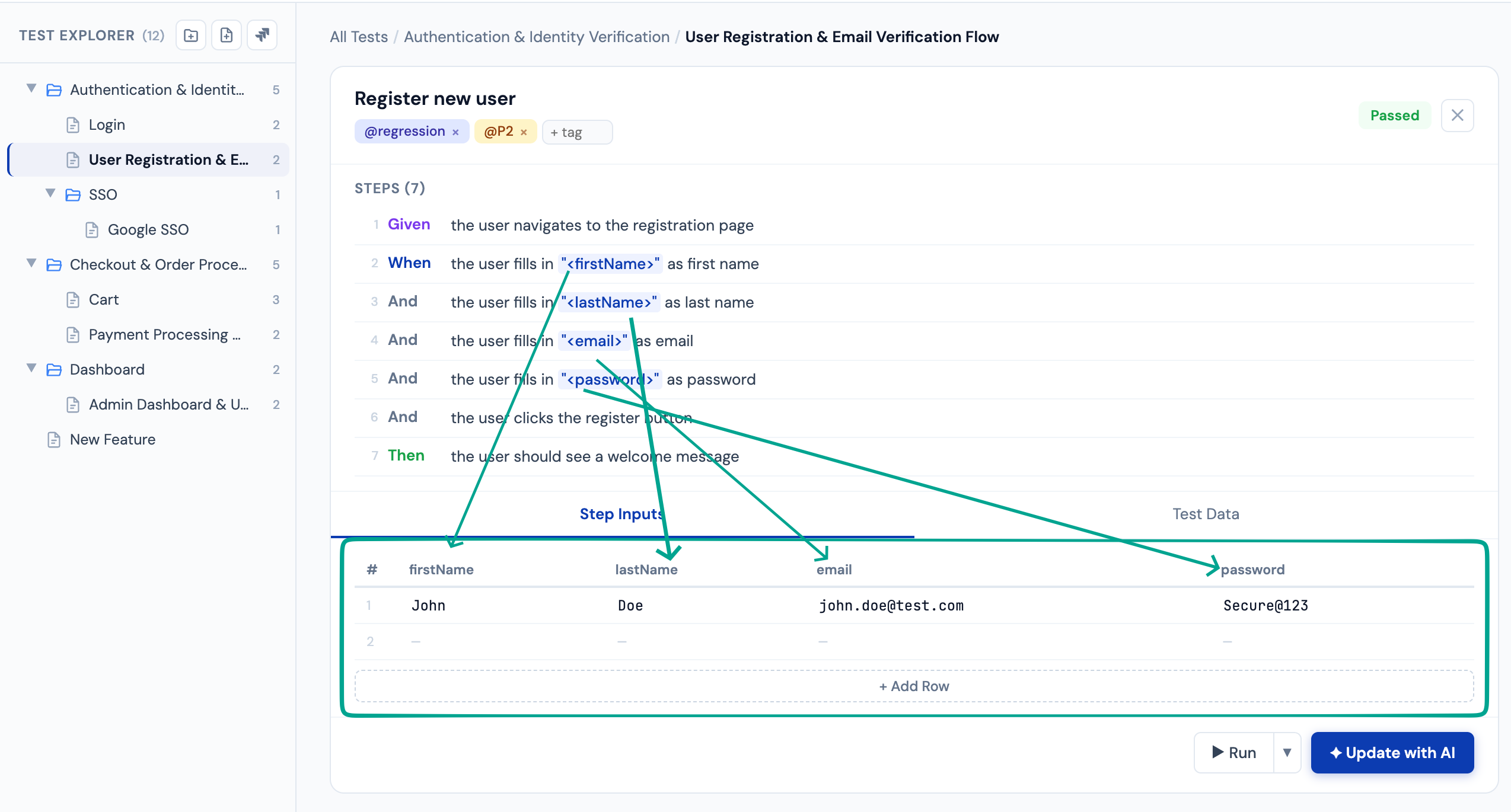
What's next?
- Quick Start Guide: Create your first test in under 5 minutes
- AI Test Engineer Overview: Deep dive into the authoring experience